
An auspicious start to DOS programming

In 1992  I was a young geek of 19 years. My programming experience consisted of the BASIC programs in the manual that came with our Commodore 64 and a few others in our schools Apple II lab. I had also written a few HyperCard and FileMaker apps on the Mac in my bedroom, where I did all the typesetting for my Dad’s print shop. [Thanks so much dad, for buying that first Mac Plus instead of a Compugraphic typesetting machine].

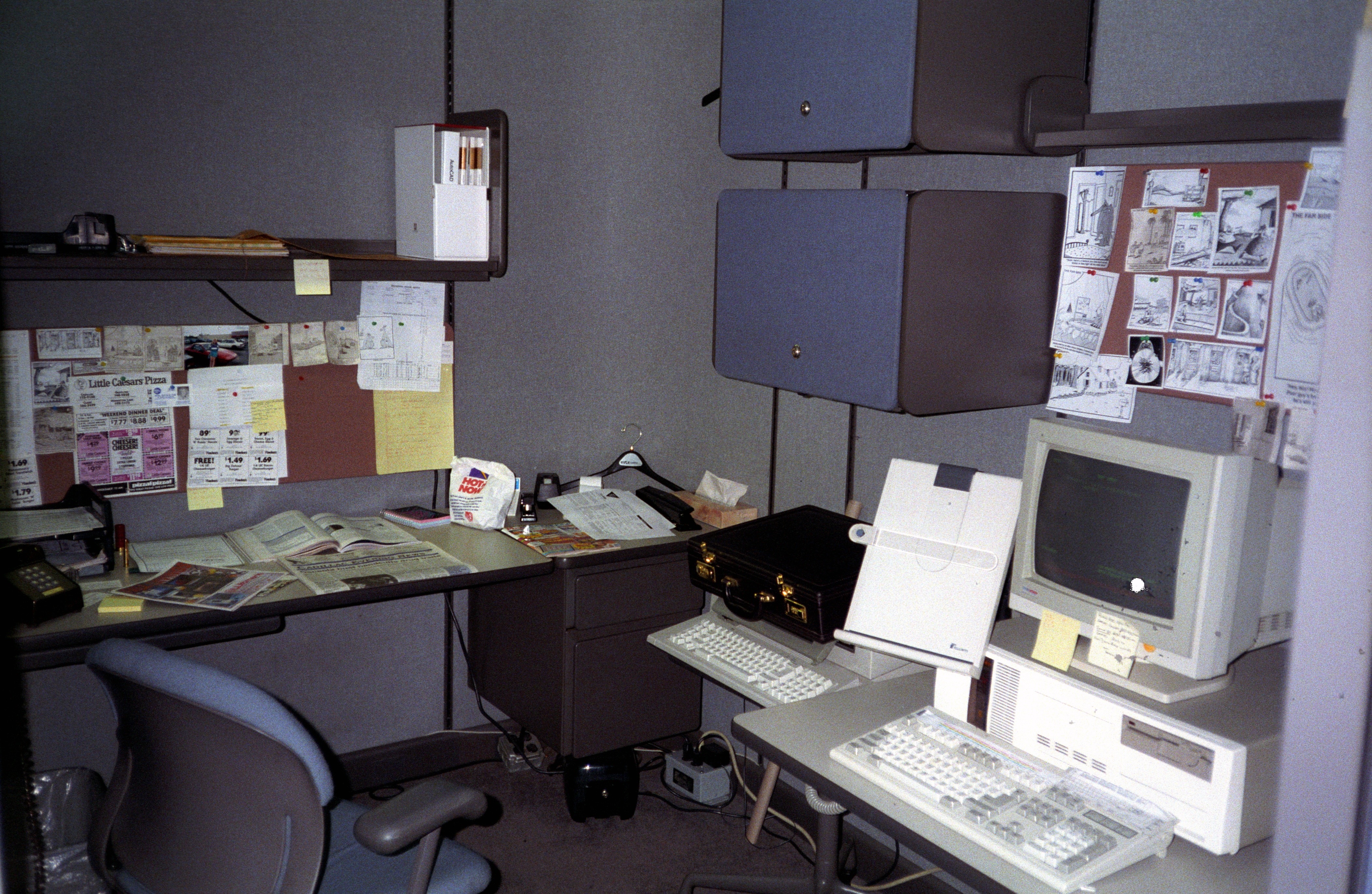
My vocational training in Mechanical Drafting had landed me an entry level position at Kysor/Cadillac as the blueprint clerk. Before long I rearranged the print room to maximize the efficiency of the engineers and myself, leaving me with hours of spare time each day. Often I would roam the engineering department, in search of  engineering projects, much to the delight of the engineers who could often find drudge work to offload.

During one of these lulls, I was chatting with David, a bright young lad who worked in the QA department. David was also quite fond of computers and told me of an escapade in which some students at his school had written a login simulator that captured and stored passwords when users logged into an system infected with their program.

Our engineering files were stored on a Novell Netware server connected by a token ring network. Each DOS computer logged in using a Novell program (login.exe, IIRC). The password capturing program seemed like an interesting challenge so I acquired my first DOS compiler (Qbasic or PowerBasic, I can’t recall which I used for this task) and wrote login.bas. I simulated the login screen perfectly, stored the passwords to a file, and then passed them on to the real login program, logging the user in. It  offered the user no indication that foul play was at hand.
Pleased with my results, I showed Rick, our network admin. I explained that I hadn’t inspected the contents of the file, knew what was in it, and turned my back while he inspected it. It turns out that Rick wasn’t terribly fond of being informed that his network security wasn’t all that secure. A few of his heated words I recall were, “that’s not your job!” He immediately escalated the matter to Keith, our VP of Engineering, intent on having me fired.

On that day, it was quite fortunate for me that I had set a precedent of doing a lot of engineering work that was not my job. Unbeknownst to me, the wheels of my first promotion were already set in motion specifically because of the extra-curricular not my job work I had been doing. That day ended with me getting a stern talking to. Soon thereafter, I was promoted and my new job involved writing software for Kysor.

Me too!

The scene: It’s a brisk mid-winter Seattle morning. Lucas has decided that we’re riding our bikes to school today. As we emerge from the garage, the sky is brilliant blue and the sun is streaming down in our faces. The lawns up and down the street are all brilliant green as this is our rainy season. It’s a lovely morning and all is well with the world. On this morning, after a night with no cloud cover, it’s still quite chilly and the shaded lawns  are all still frost covered. Both kids eagerly accept the gloves that I had thought to bring for them.

A very short ways from home, Kayla asks us to pause so she can tie her skirt up, keeping it well clear of her back tire. I comment, “hmm, we should get you a rear fender to keep your skirts off that tire.”

Lucas, not wanting to miss out on getting one of anything pipes up, “Should we get one for me too?”

I replied, “Of course, we don’t want your skirts getting dirty, do we?”

Motion Sensors

Thanks – very helpful!  I’m curious – what model of motion sensors are you using?  Have you had good luck with them?  What’s the battery life like? Is it practical to put them in pretty much every room of a house?

Every room? That depends on your budget. 🙂

Outside I have Aeon Labs Aeotec Z-Wave MultiSensor: (Motion, Temp, Light level, Humidity) which turns on the lights when motion is detected and it’s dark. I’m not doing anything with the Temp or Humidity yet, but they’re neat to have.

Inside the house, I have Ecolink Z-Wave PIR Motion Detectors. I currently have one in the kitchen, dining room, living room, and front stairwell (split-level). When it’s dark outside (see above) and motion is detected, GE Link bulbs turn on and light that area. I’m going to buy more because my son wants the lights in his bedroom to be smart too.

The motion detectors work fairly well, with limits. They are Passive IR, which is GREAT for battery life, but after tripping they don’t begin watching again for 4 minutes. To prevent going off when someone is sitting idle in the room, I find I can’t “trust” a lack of motion until about 20 minutes after motion stopped. I’ve read that some folks run these detectors in “test” mode, which reduces the 4 minute timeout to 10 seconds, at the cost of shorter battery life. I haven’t tried that yet, but likely will in the dining room. Believe it or not, sometimes my kids actually sit still while doing homework!

I also have a SmartThings SmartSense Motion Sensor that came in the kit with my hub. It usually senses motion and temperature, and after a month’s use six feet from the hub, it’s down to 66% battery. All the Aeon motion detectors are at 100% after a months use. I’m substantially less impressed by this ones reliability (which impacts the WAF) so it got relegated to the garage. I haven’t done any validation of battery life reporting, but there’s a good chance I won’t recharge this guys batteries.

One thing about motion detectors is they don’t detect us until after we come into their field of view. Duh, right? For the motion sensor inside the front door, this means the sensor generally doesn’t “see” us until the door has mostly opened and we’re walking in. During that delay, someone is invariably reaching for the switch at the same time the lights come on. That’s confusing, especially if they flip a 2-way switch and nothing happens. I could put another motion sensor on the other side of the door, but what I like better is…

the Ecolink Z-Wave Door/Window Sensor. I now have one on every exterior door. The second the door starts to open, the lights come on both inside and outside the door (if they weren’t already). The motion sensors are then used as occupancy sensors that turn off the lights after the area hasn’t been occupied for N minutes. A planned automation feature for the door sensors is to automatically yell at my kids if they’re more than N feet from the front door and didn’t close it.

The less “smart” but very useful motion sensors that I’m using are these Mr Beams MB726 Battery Powered Motion Sensing LED Nightlights. They aren’t smart in the Home Automation sense but they are much cheaper. They’re ideal for lighting up dark hallways and stairs where “light it up when I come, and turn if off 30 seconds later” is just perfect. I bought those because I have kids and a couple of our hallways didn’t have power outlets to plug in a motion-activated AC powered nightlight.

One last tangent related to motion sensing, but more on the “smart switch -vs- bulb” topic: With the smart bulbs, one limit is that if someone turns off the switch, the bulbs forget their dim level. A switch never loses power so it remembers. An advantage of smart bulbs is that at homework time, motion turns on all 4 bulbs at 70% brightness. At dinner time, motion turn on 3 bulbs at 50% brightness. After 9PM when the kids are in bed, motion turns on one bulb at 10% brightness. Switches act on all the bulbs or none.

Child Automation and our Yale Deadbolt

I found almost exactly the lock I was looking for in the Yale YRD240-ZW-605. The wife and kids love it too, making me even happier with the choice.

When we get home, one of the kids asks for the house keys. The first one to ask gets the keys and gets to unlock the door. They love to unlock the door, so it’s frequently a race. I’ve been thinking it was time to give them their own keys, but its really hard when they can’t yet hold onto the same library card for more than a year. Stashing a key outdoors didn’t fit my sensibilities.

In exploring the options, I found a wide variety of locks. Push buttons. Numeric keypads. Bluetooth. WiFi. Smartphone Apps. Key fobs. So. Many. Options!

Some I was able to weed out straight away. Requiring a smarthphone is a non-starter. For that matter, requiring that we carry anything seems so last century. If someone gets locked out of the house naked, absent their sniggering sibling on the other side of the door, they should be able to get back in.

I found almost exactly what I was looking for in the Yale YRD240-ZW-605. I can easily program a unique key code for each family member. I can add a key-code for the neighbor to feed our pets when we’re on vacation. It has a Z-Wave radio built-in which pairs with my SmartThings hub. I can pull out my phone and lock/unlock the front door from anywhere. Instead of the far-less-secure key backup, this version has a 9-volt battery port which serves as the spare key.

[amazon template=image&asin=B00HS1O5NM]

The Wife Acceptance Factor of this lock is very high. When she walks out the door, she just waves her hand at it and it locks the door. When she gets home, keying in the code is faster and easier than fishing her keys out of her purse. If her phone is already out, she can unlock the door on her way towards it.

The kids adore it, but the entry routine is  a little different than I expected. Before someone unlocked the door and we all piled through. Now one child enters their very own Simerson Secret Door Society code, enters, and then deadbolts the door. Then the next child enters their code and enters. When I pull into the garage, they run out the garage door so they can enter via the front door. Shucks, they still lock themselves outside just to use their secret code and get back in. I’m amazed that the batteries have lasted three weeks. The lock says it’s battery life is still 100%. Amazing.

The creativity of a child

It’s the time of year when I need to sweep the deck of Wisteria blooms daily. Today the kids were home so I called them and their neighbor friend out onto the deck. Then I shook the branches while the Wisteria plant rained petals upon them. I like to think that most any parent would have thought of turning that chore into a game. But the kids took it to the next level.

As soon as I was done shaking the vines and started sweeping them off the deck, they high tailed it down the stairs to the patio so they could relive the experience. When that was over, they loaded the flowers in buckets, carried them back upstairs onto the deck and raining them onto each other again.

Matt’s Deep-Dish Blackberry Pie

Recipe: Blackberry Pie
Yield: 9 or 10″ deep dish pie

  • 6 c. Blackberries
  • 1/2 c. white sugar
  • 1/2 c. all purpose flour
  • 2 Tbsp. tapioca starch
  • 1 tsp. Lemon juice
  • 1 Tbsp. sanding or other large grain sugar
  • 1 blind-baked pie crust
  1. Preheat oven to 425° F.
  2. In a large bowl, whisk together sugar, flour, and starch. Reserve 1 cup of berries and fold the rest into the powder until no white powder remains. Set aside to macerate.
  3. Make the crust. Do *something* to keep the bottom crust from being soggy. Blind baking followed by an egg white wash works well. So does adding a 1/8 layer of oatmeal.
  4. Taste the filling. Add sugar to taste. Our fresh picked Washington wild blackberries tend to be plump, sweet, and easily crushed. Berries that are firm and/or tart will require more sugar. I prefer the least amount of sugar that will make the berries taste fully ripe.
  5. Fill the baked crust until just below the rim. Eat the extra filling. Spread the reserved cup of berries on top of the filling. Optionally dot the top of the pie with butter. Spray or sprinkle the lemon juice over the berries.
  6. Roll out the top crust and cover the pie. Seal and crimp the edges. Brush the top crust with egg wash and sprinkle with 1 Tbsp. sanding sugar. Cut a few slits in the crust to vent.
  7. Place a pie shield over the crust and bake at 425 for 15 min. Reduce heat to 375 and bake until juices start bubbling, about 20-25 min. Cool completely.